Clients with context
Search your client directory, keep general profile notes, and follow open and closed cases. A client is active when they have an open case.
CASEHAVEN · WINDOWS DESKTOP SOFTWARE
From the first inquiry to the final case note. Bring your clients, casework, and supporting records into one organized workspace.
For investigators and teams managing client casework.
Manual Inquiries Edition 1.3.0
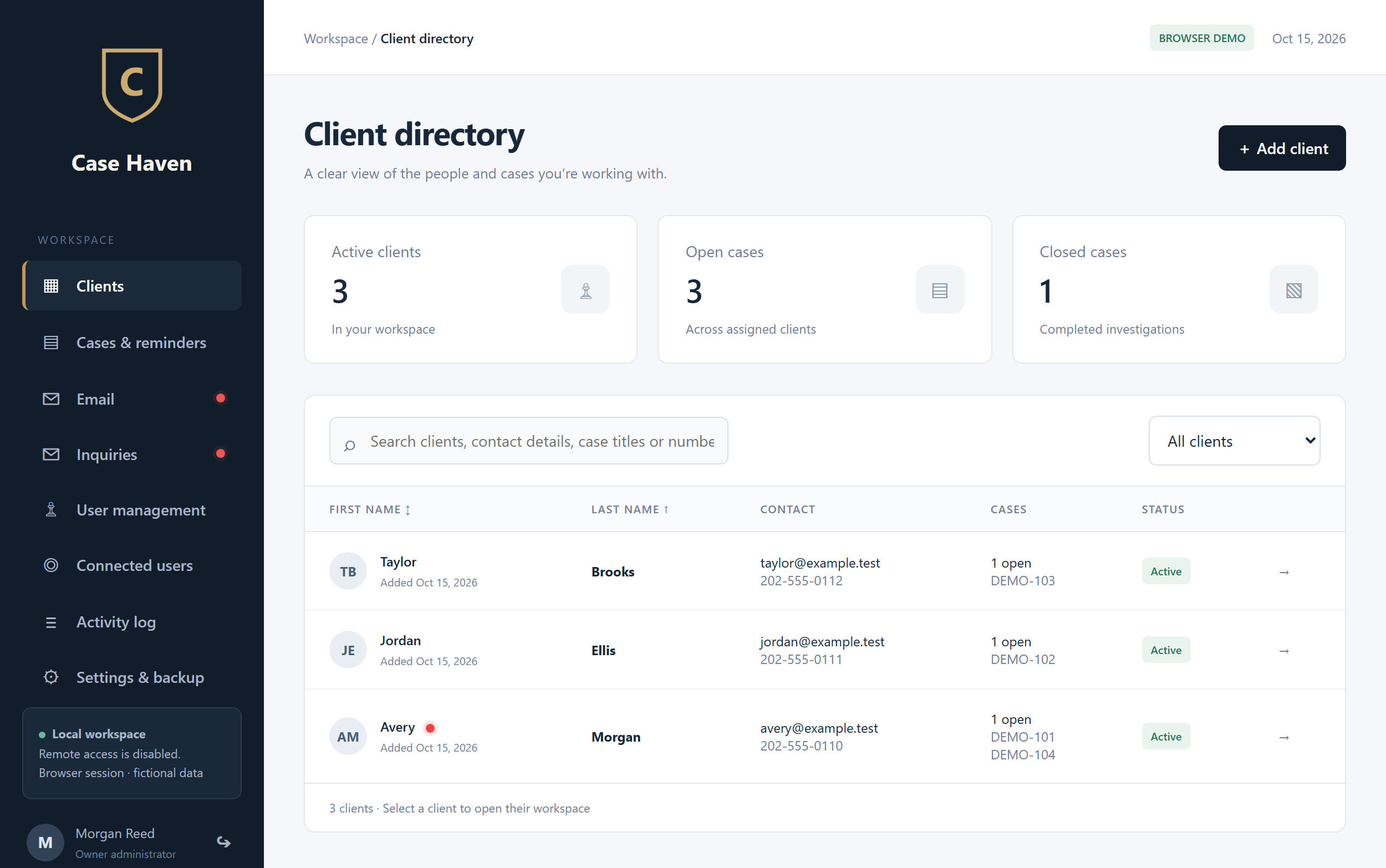
Actual program interface · Fictional demo data
View full-size picture ↗ · Explore the workspace →
A MORE CONSIDERED WORKSPACE
Casehaven organizes the relationship between a client, their cases, and the details that belong to each one.
Search your client directory, keep general profile notes, and follow open and closed cases. A client is active when they have an open case.
Record inquiries manually, add follow-up notes, mark them contacted or closed, and convert them into a client and case.
Keep files, pictures, notes, contracts, and billable time with the case they belong to. Review client portal submissions in the desktop workflow.
YOUR TEAM. YOUR WORKSPACE.
Run a Windows host for your organization and connect employee clients with assigned access. Casehaven includes tools for the work beyond the directory.
Step inside the demo ↗Microsoft and IMAP/SMTP accounts, threaded replies, unread markers, mailbox permissions, and case-matched email billing.
Employee permissions, assigned-client restrictions, connected sessions, and an activity log.
Encrypted records and attachments, encrypted backups, and password-protected closed-case ZIP exports. Protection depends on the host and its configuration.
LESS READING. MORE EXPLORING.
Record a fictional inquiry, convert it to a case, add a note, and log time. No account required.
Open the interactive demo ↗Start with a fictional conversation.
Keep the next steps together.
Add notes, record time, close the case.
Browser simulation · Fictional data only · Reset anytime. Explore sample files, mail, portal review, employee settings, and backup workflows. Delivery, encryption, authentication, and Windows operations are simulated or explained; no real services are connected.
FOR EXISTING CASEHAVEN TEAMS
Download the employee-only application to connect to your organization’s Casehaven host. Ask your administrator for a connection package, the certificate fingerprint, and your employee login. This installer does not create a host or install a database.
Download for Windows x64 ↓For use with an existing authorized host. This download does not provide a host license or set commercial licensing terms. Never share connection packages or login details publicly.
PRICING & LICENSING
We’re preparing the commercial details for Casehaven. Tell us how you plan to use it when our sales contact becomes available.
Manual Inquiries Edition
To be announcedPricing, license scope, employee allowances, support, and update terms have not been set.
Prepare a purchase inquiry →No checkout or payment is available.A FEW THINGS TO KNOW
Investigators and organizations that manage clients, cases, supporting records, and follow-up work. Confirm your team's requirements before selecting a license.
The product is a Windows x64 desktop application. This website contains a browser simulation using the actual interface, with fictional data and simulated email and desktop operations.
No. Inquiries are entered manually. The marketing website does not connect to the desktop program or import inquiries into it.
Fictional clients, cases, profile notes, manual inquiries, follow-ups, conversion, case notes, time entries, and case status. The staff interface and client portal also let you explore sample files, mail, sharing and submission review. Changes stay in this tab's session storage, are never shared with other visitors, and can be reset. Do not enter real client information.
The desktop product supports employee connections using a host-exported connection package and certificate verification. Remote access starts off on a new host and requires owner setup. This demo does not connect to a host.
The desktop source implements encryption and server-enforced permissions. These are not guarantees against a compromised administrator, operating system, or hosting provider. External Word/Excel editing is disabled. Restricted Windows accounts require supported AppLocker controls and testing on the target system. The supplied installer is not signed with a purchased publisher certificate.
The employee-only Windows installer is available in the Download section for existing teams. It requires a configured host, an administrator-provided connection package, and an account. Host purchasing, pricing, license terms, and sales contact details are still being prepared.
LET’S START WITH YOUR WORKFLOW
Case Haven has not added a contact email yet. Use this worksheet to prepare your questions. It stays on this page and is never submitted.